

MasterMaple v117.2 Full Client
1.) Method #1:
Complete installer in a single link.
Server Google Drive : Click here
Server Mega : Click here
Server Mediafire : Click here
2.) Tip: | Optional
If, after installing the game and trying to launch it, it doesn't open or nothing happens, you can follow these simple steps.
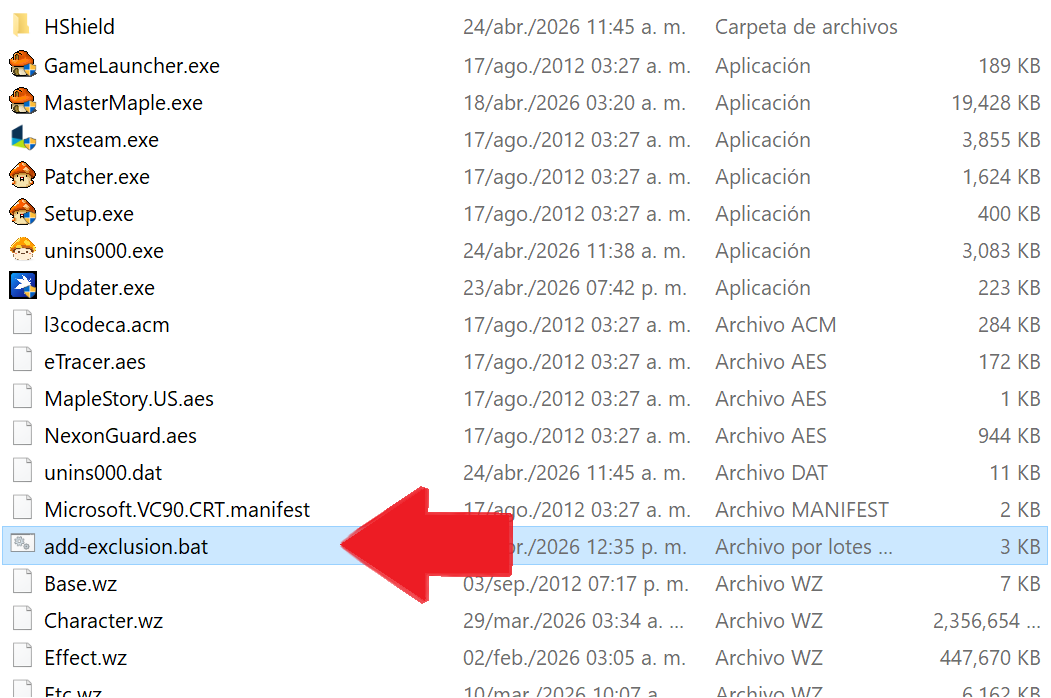
- Step 1 : Locate and open the folder where the MasterMaple v117.2 game is installed.
Next, open the “add-exclusion.bat” file and wait for the information to load.
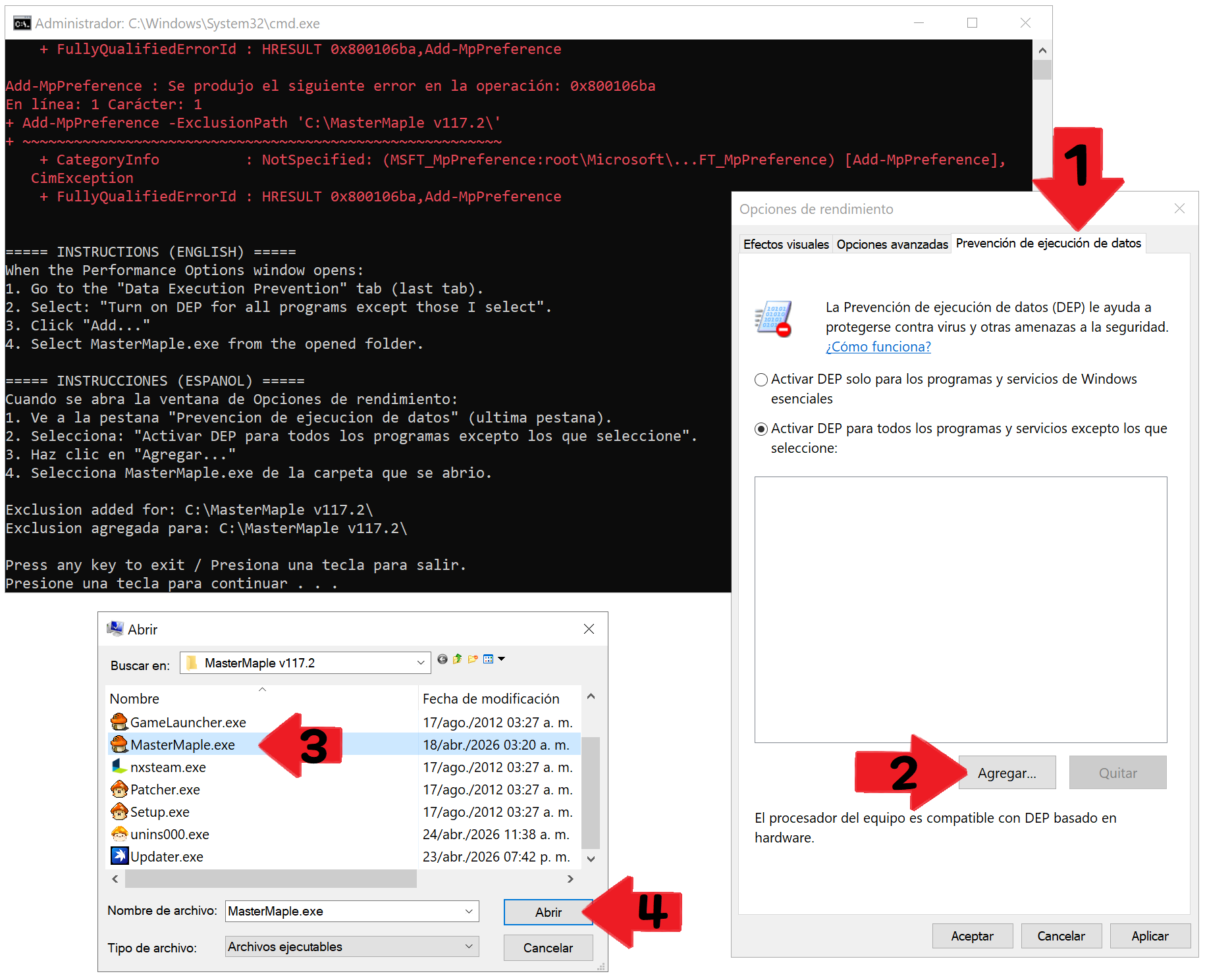
- Step 2 : Go to the “Data Execution Prevention” tab, then click “Add”, locate the game's main file “MasterMaple.exe”, select it, and finally click “Open”.
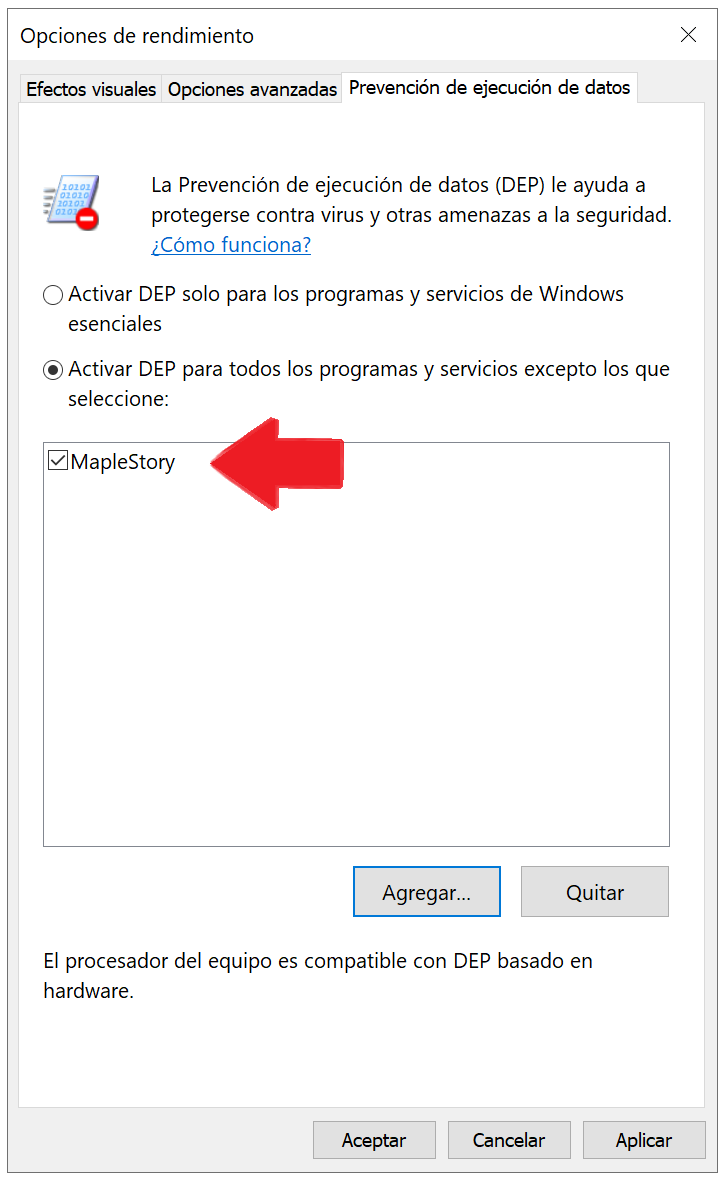
- Step 3 : It should look like this.
To finish the process and save the changes, just click “OK” and try again by launching the MasterMaple v117.2 game.
If you need help or support with anything, you can message us on Discord by submitting a ticket in the “Contact-GM” channel.
+ Discord MasterMaple v117.2 : Click here
If you're having trouble downloading the game (the download stops halfway through or won't start) using Google Drive, you can follow the instructions in this video:
"File Extraction"
We go to the location where we downloaded the MasterMaple v117.2 installer; in this case, we saved it to the Desktop.
↑
Then right-click and select the “Extract here” option
↑
Please wait while the MasterMaple v117.2.rar file finishes unpacking.
↑
Go to the folder where you extracted the files, and you'll find 4 files there.
"Installation Procedure"
↑
We navigate to the folder containing the MasterMaple v117 installer, which is located on our desktop,
then we run the file named “MasterMaple v117.2.exe”
↑
Here you can choose the language for the game installation guide.
Once you have chosen the language, click OK.
↑
Here, you'll see the option to create a shortcut to our game on the desktop.
Once you've selected the option, click “Next”.
↑
Here, you'll see a breakdown of everything you've previously selected or chosen.
Once we've agreed, click “Install”.
↑
Once the installation is complete, click “Finish”.
Once the installation is complete, look for the “MasterMaple v117.2” file on your desktop; this is the file you'll always use to play the game.